Structure Your Organization
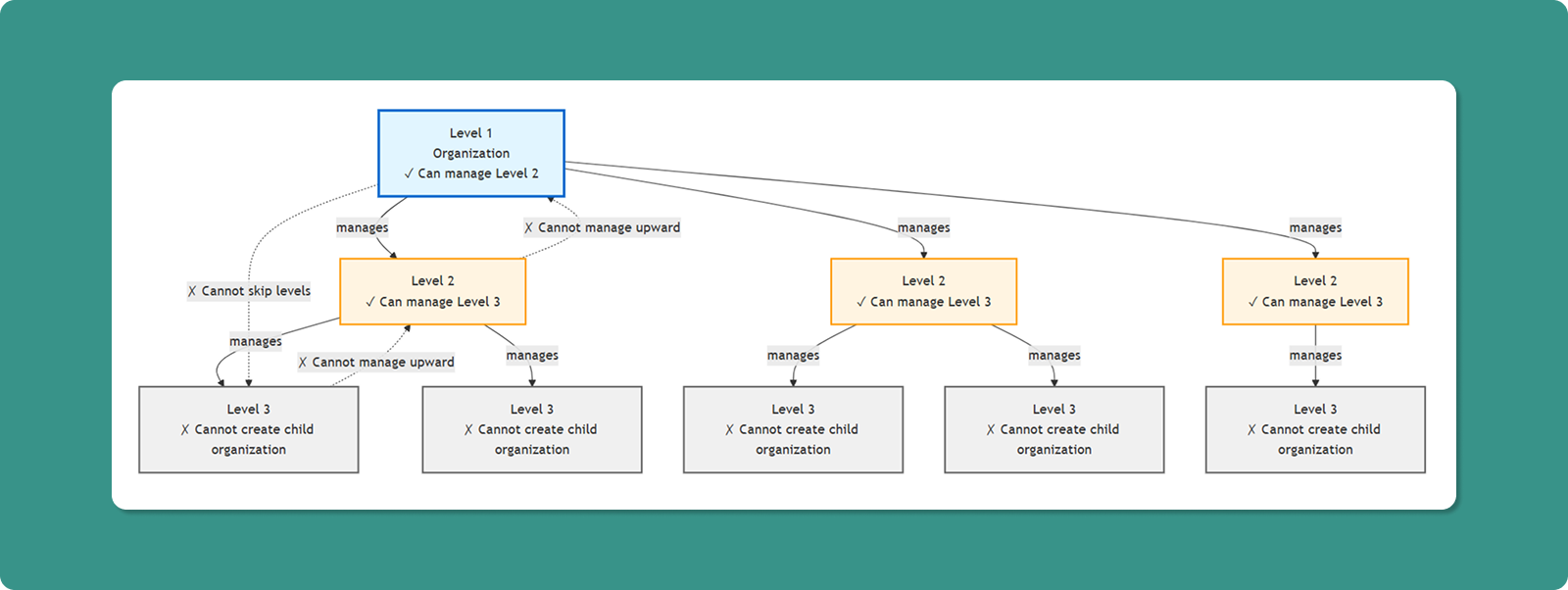
The Organizations section allows you to create and manage hierarchical organizational structures within Atra RMS. This enables logical separation of devices, vpn tunnels, users, and roles.
Structure:
Level 1: Parent Organization
├── Level 2: Child Organization A
│ ├── Level 3: Child Organization A1
│ └── Level 3: Child Organization A2
└── Level 2: Child Organization B
└── Level 3: Child Organization B1
Key Principles:
- The Atra-RMS uses a strict 3-level hierarchy for management
- Organizations form parent-child relationships
- Parent can view child org resources
- Child cannot view parent org resources
- A Level 3 organization cannot create any child organizations
View and Manage Child-Organizations
The main Organizations interface displays all child organizations under your management.
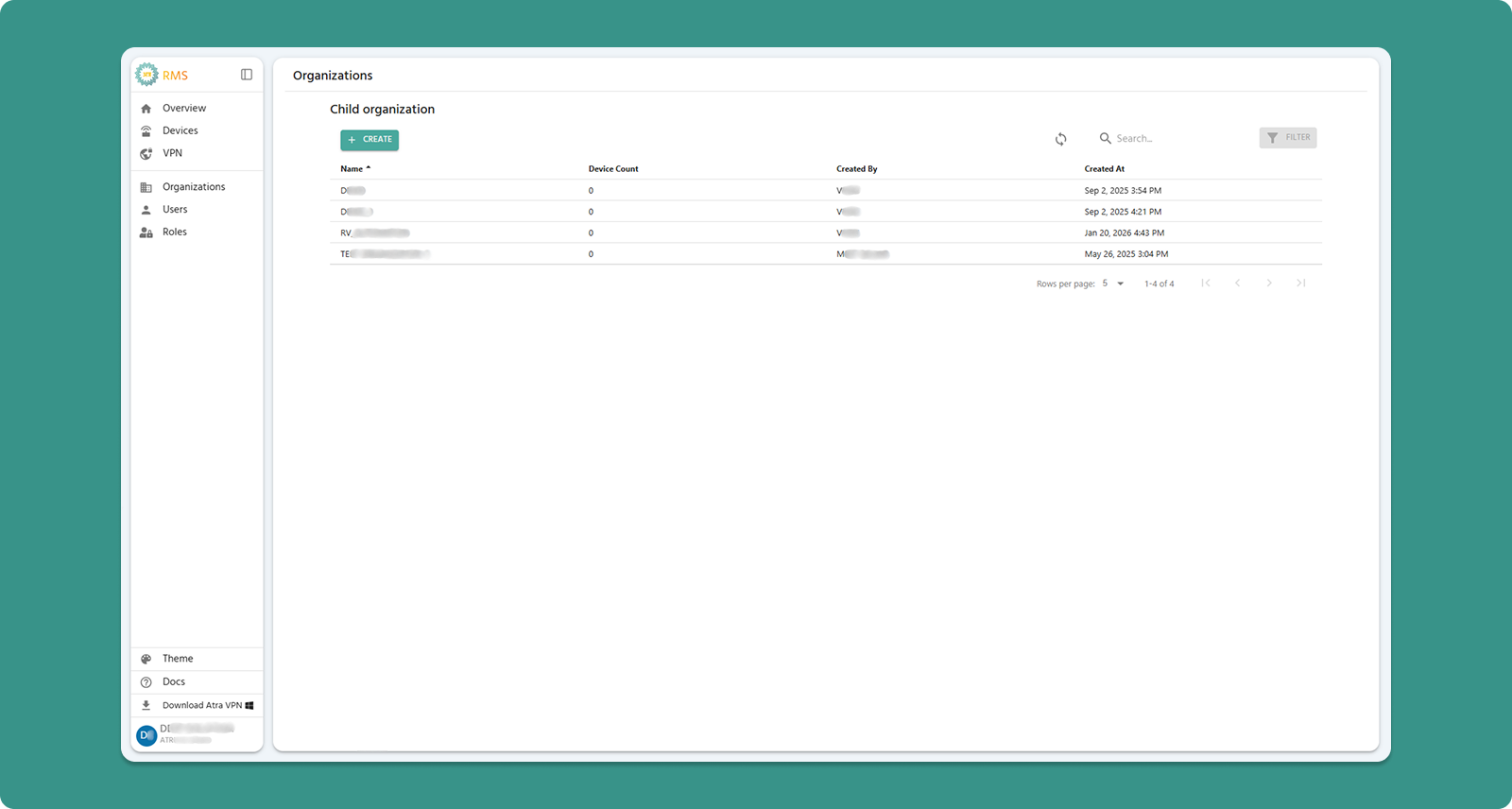
Interface Actions

|
Action |
Location |
Purpose |
|
+CREATE Button |
Top-left (Teal) |
Add new child organization |
|
Refresh Button |
Top-right |
Manually update organization list |
|
Search Bar |
Center |
Filter by organization name or creator |
|
Filter |
Top-right |
Currently not available |
Table Columns
|
Column |
Description |
Example |
|
Name |
Child organization identifier |
AMC, MMC, etc. |
|
Device Count |
Total devices registered to that organization |
25 |
|
Created By |
Username who created the organization |
Demo User |
|
Created At |
Date and time of creation |
Dec 15, 2025, 10:30 AM |

Table Navigation

|
Control |
Purpose |
Options |
|
Rows per page |
Adjust visible organizations |
5, 10, 15, 20,25 |
|
Total Count |
Display total child organizations |
"Showing 1-5 of 25" |
|
Page Navigation |
Move between pages |
Previous, Next, Last, First |
Child Organization Creation Guide
Follow these steps to create a new child organization under your current organization.
Step 1: Navigate to Creation Form
-
Click "Organizations" in left sidebar menu
-
Click "+CREATE" button (Teal, top-left corner)
-
"Create New Organization" page loads
Step 2: Complete Organization Form
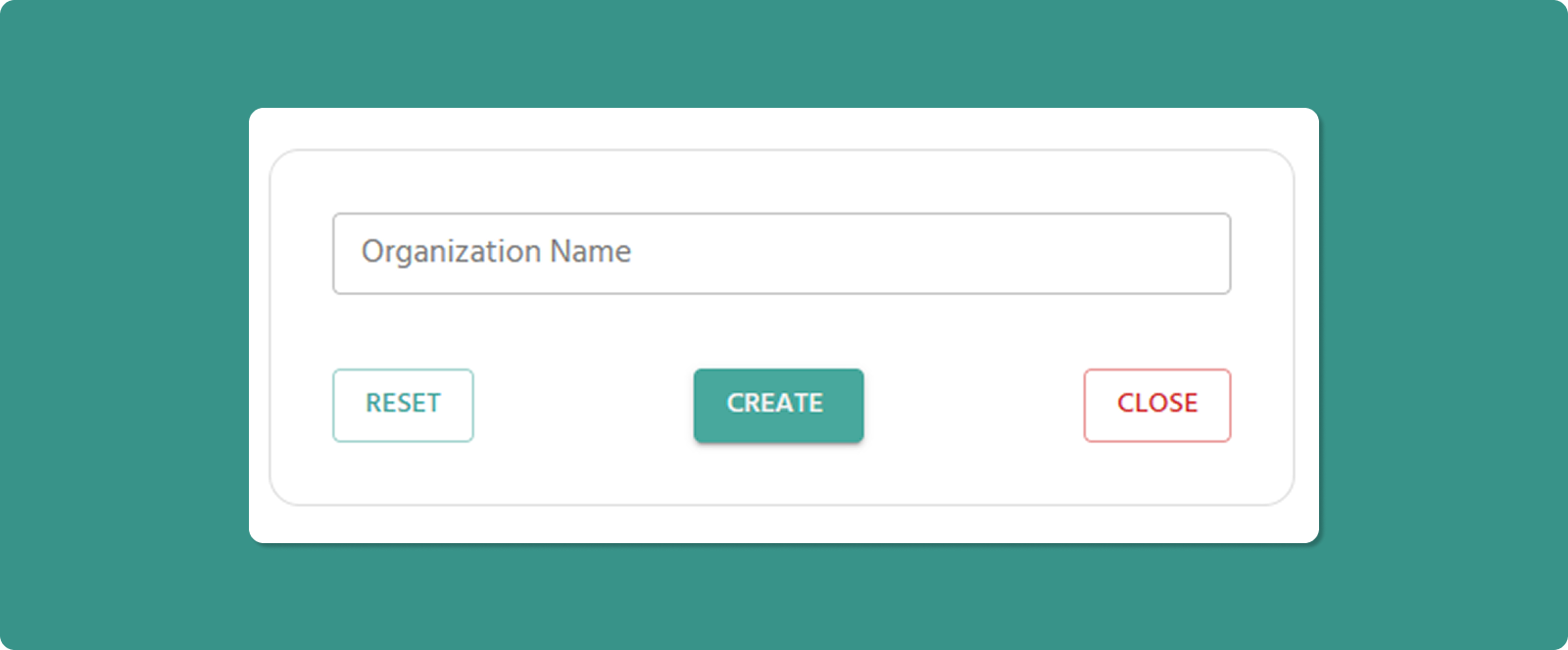
Organization Name (Required)
Input Rules:
-
Length: 3-40 characters
-
Allowed: Letters, numbers, spaces, periods (.), underscores (_), hyphens (-)
-
Not allowed at start/end: Period (.), underscore (_), hyphen (-)
-
No consecutive special characters: Avoid org..name or org--name
Examples:
-
✅ Atreyo Research and Development LLP
-
✅ Reliance Industries
-
✅ Google Cloud Platform
-
✅ Mumbai_Branch_Office
-
❌ _Organization (starts with underscore)
-
❌ Org..Name (consecutive periods)
-
❌ Department- (ends with hyphen)
💡 Naming Best Practices:
-
Use clear, descriptive names reflecting business structure
-
Consider geographic location: "Mumbai_Office", "Delhi_Warehouse"
-
Consider function: "R&D_Lab", "Production_Floor_A", "Sales_Team_North"
-
Maintain consistent naming convention across all organizations
Step 3: Submit Form
Important Notes
Automatic Parent Assignment:
⚠️ The new organization you create will automatically become a child of your current organization (the one the logged-in user belongs to).
Example:
-
You belong to: "ATREYO" (Level 1)
-
You create: "AMC"
-
Result: "AMC" becomes Level 2 child under "ATREYO"
Cannot Choose Parent:
-
You cannot select a different parent organization
-
New organization always created under your current organization
-
To create under different parent, switch to that organization first
After Creation
Immediate Effects:
-
New organization appears in Child Organizations list
-
Organization is assigned Level = (Your Level + 1)
-
You can now:
-
Register devices to this organization
-
Create roles specific to this organization
-
Invite users to this organization
-
Create further child organizations under it (Level 3)
Next Steps:
-
Create Roles: Define permissions specific to this organization
-
Invite Users: Add team members to the new organization
-
Register Devices: Assign devices to the organization