Cellular Configuration Manual
1. Cellular modem
1.1 Modem
The Gateway in its basic configuration is equipped with an LTE modem that also supports GPRS and SMS functions. Different modems were used depending on the model variant. Here is a table of models.
1.2 SIM card
The Gateway supports two nano SIM cards, both 1.8V and 3V. The card connector is tray type. When installing the SIM card, pay attention to the correct insertion of the card. The used SIM card tray is designed so that the card sticks to the tray. This make easily insert the SIM regardless of the position of the Gateway.
2 Using cellular network
The AG-702 has a built-in SIM Switch app. To connect to the Internet using SIM Switch, follow this guide. We recommend using the SIM Switch app, but you can also start the modem manually by following the instructions below. Do not use both methods at the same time.
2.1 Manual modem configuration
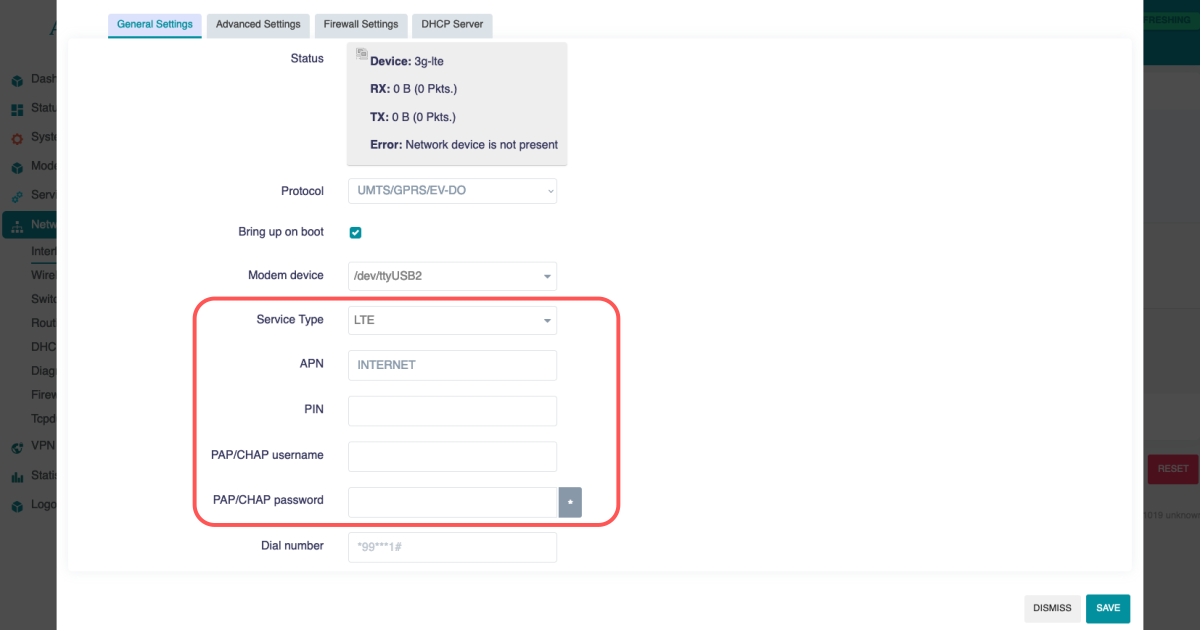
To activate the LTE modem, go to Network > Interfaces and select the lte tab there.
Mostly the network operator requires you to enter the APN, sometimes it also requires a username and password. Enter the required data and save.
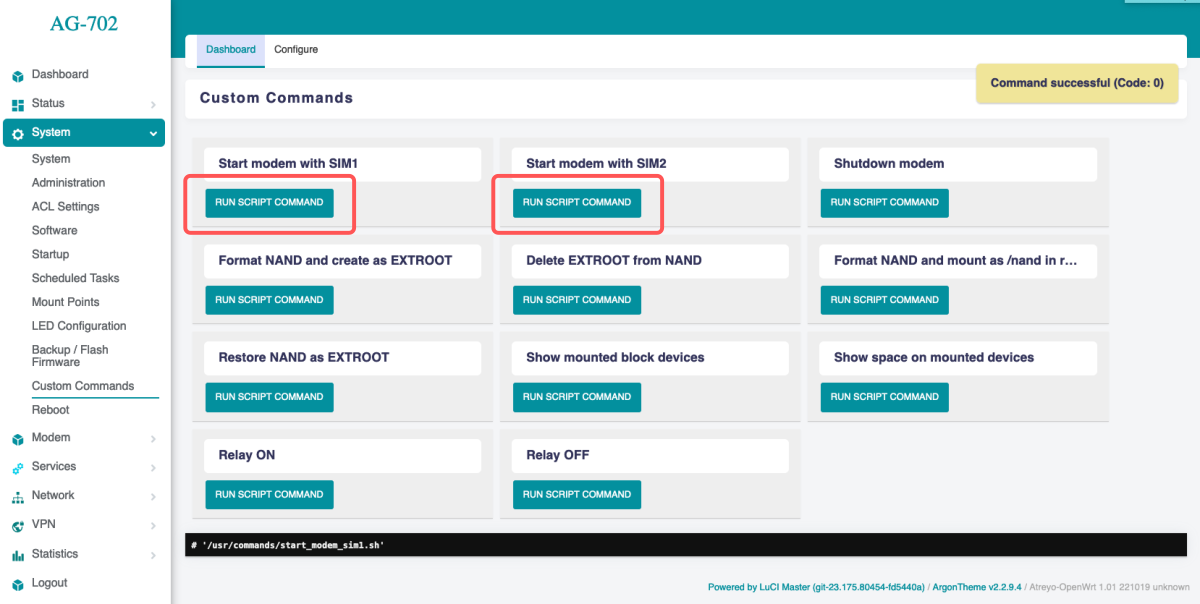
Then go to System > Custom Commands and click on Start modem with SIM1/Start modem with SIM2. Depending on which SIM card you want to start.
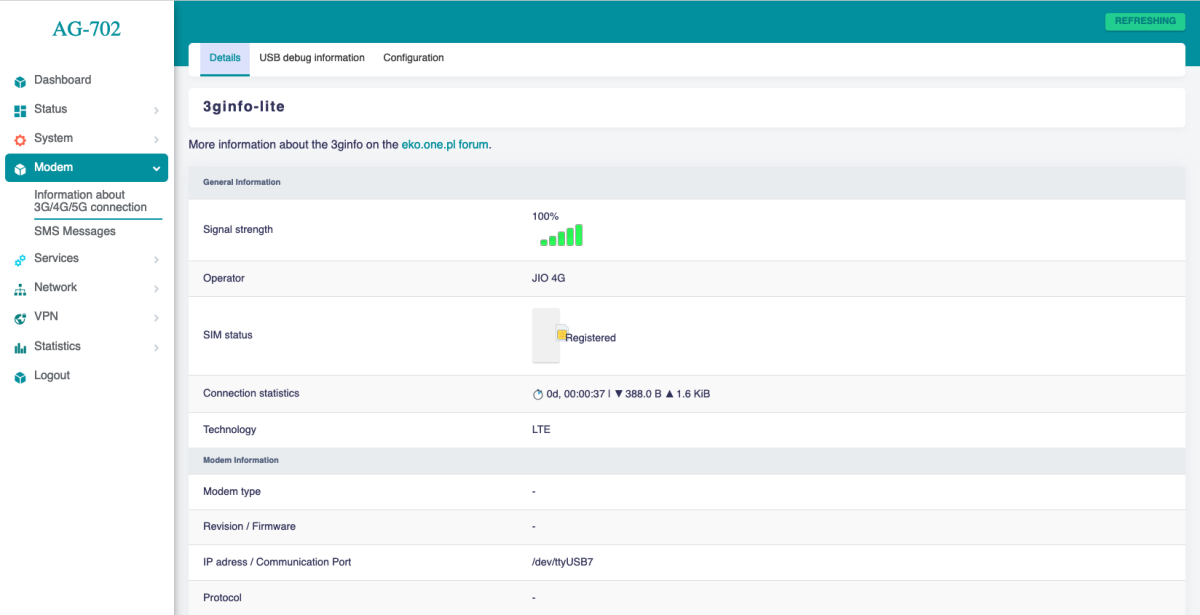
The modem will start up and connect to the Internet. To check if it is working properly and what the signal is, go to Modem > Information about 3G/4G/5G connection. When the modem starts up, the LEDs showing the signal strength will also light up. This makes it easy to see the signal strength in a particular location.
2.2 Cellular modem ON on start
To make the gateway automatically connect to the Internet after startup, you need to add a modem startup in the System > Startup section under Local Startup, add a line before line 'exit 0'.
/usr/commands/start_modem_sim1.sh or /usr/commands/start_modem_sim2.sh. Then save the changes. After each reboot, the gateway will automatically start the modem with the selected SIM card.
Remember, if you're using the SIM Switch app, don't set up a startup script.
2.3 SMS
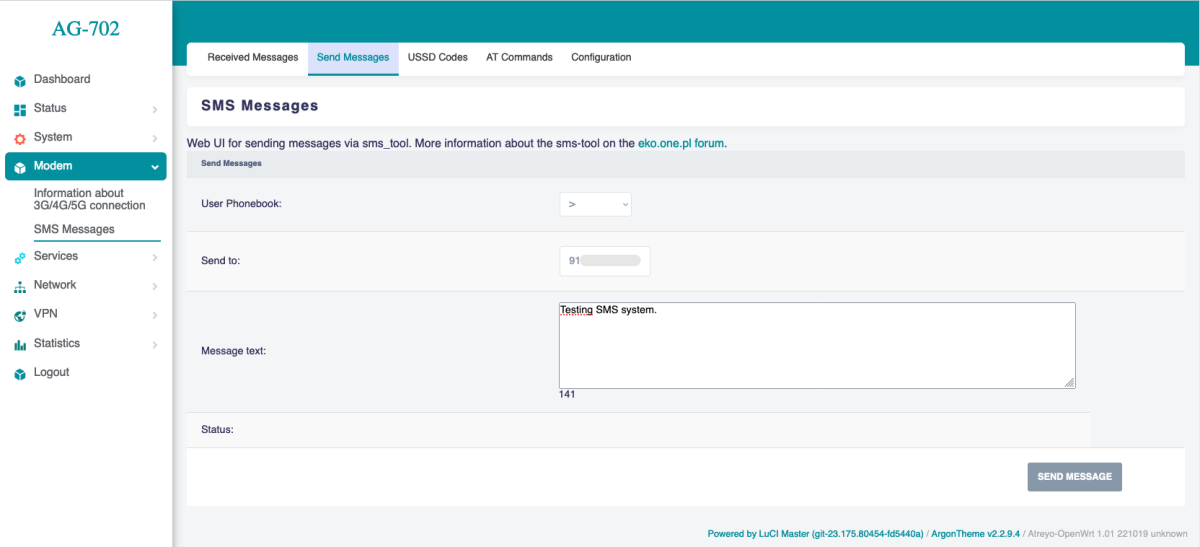
To test the SMS operation, the gateway has an SMS interface installed. Under Modem > SMS Messages. There you can check sent and received SMS. Be sure to enter the phone number together with the country prefix, but without the + sign. The maximum number of characters is 160. The system does not support alphabets such as devanagari. The maximum number of messages in the inbox is 20.
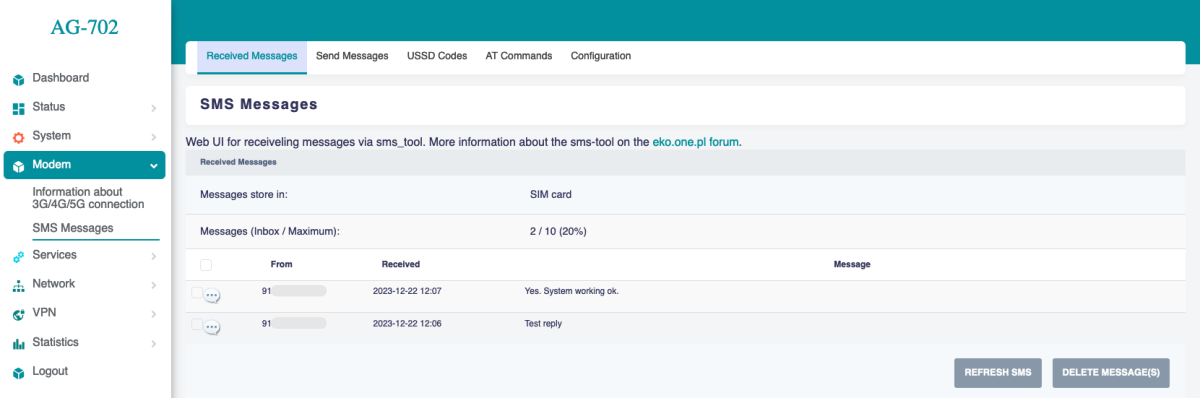
For send SMS go to Send Message tab.