
SIM switch
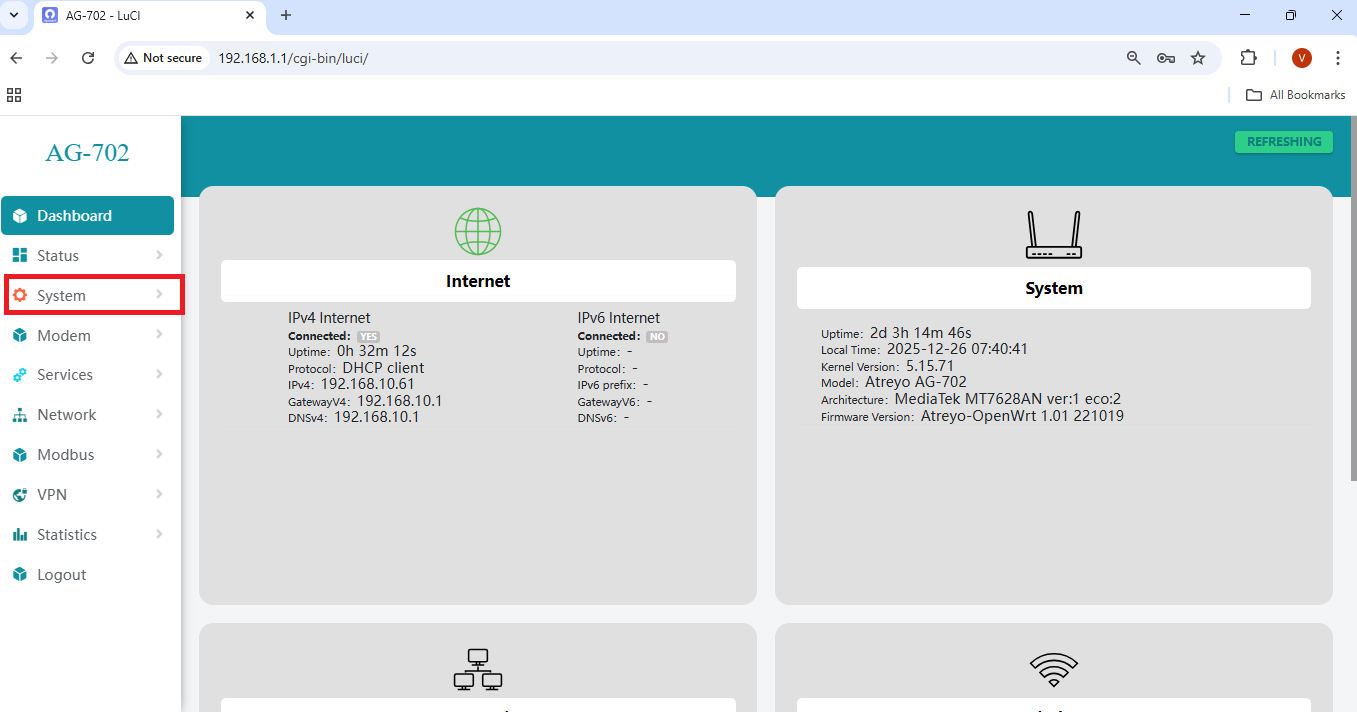
Go to System → Sim_Switching
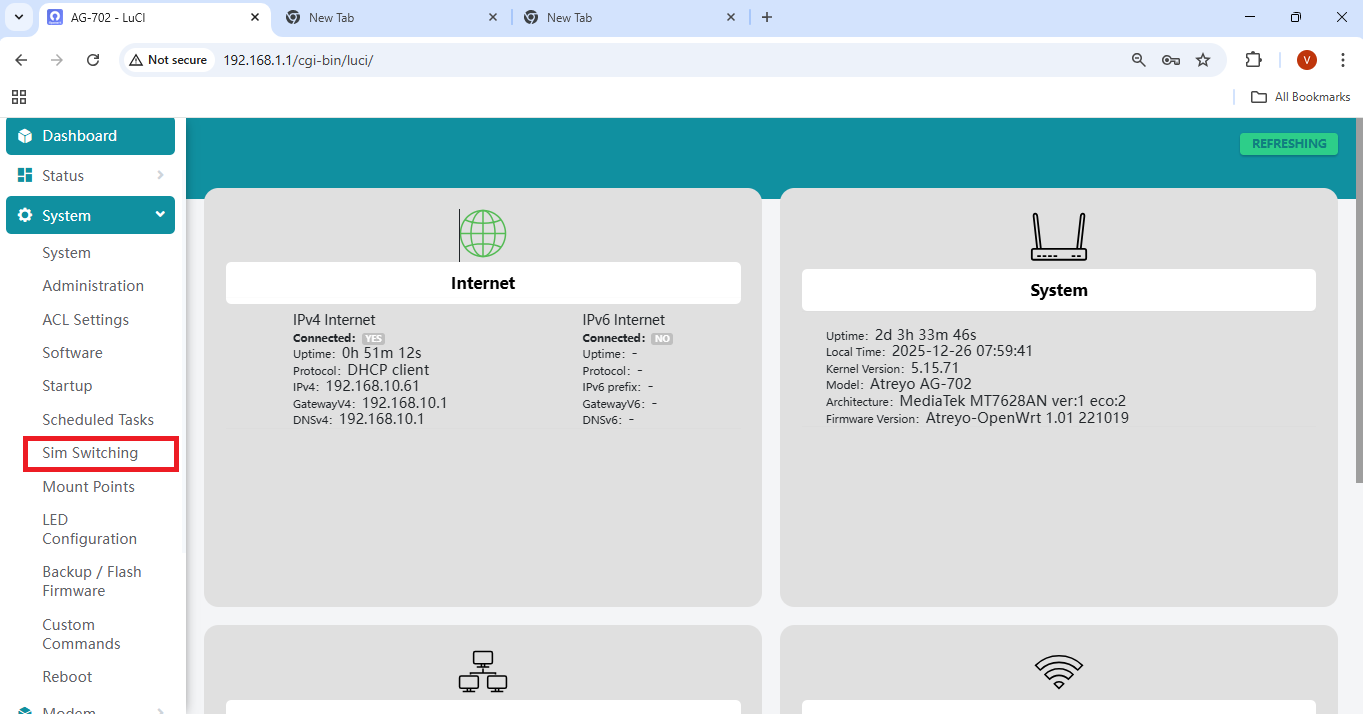
You will now be redirected to the SIM Switching configuration page.
1. Start Cellular Modem at Startup
Enable the option Start cellular modem at startup as shown below.
This option ensures that the cellular modem automatically starts whenever the device boots.
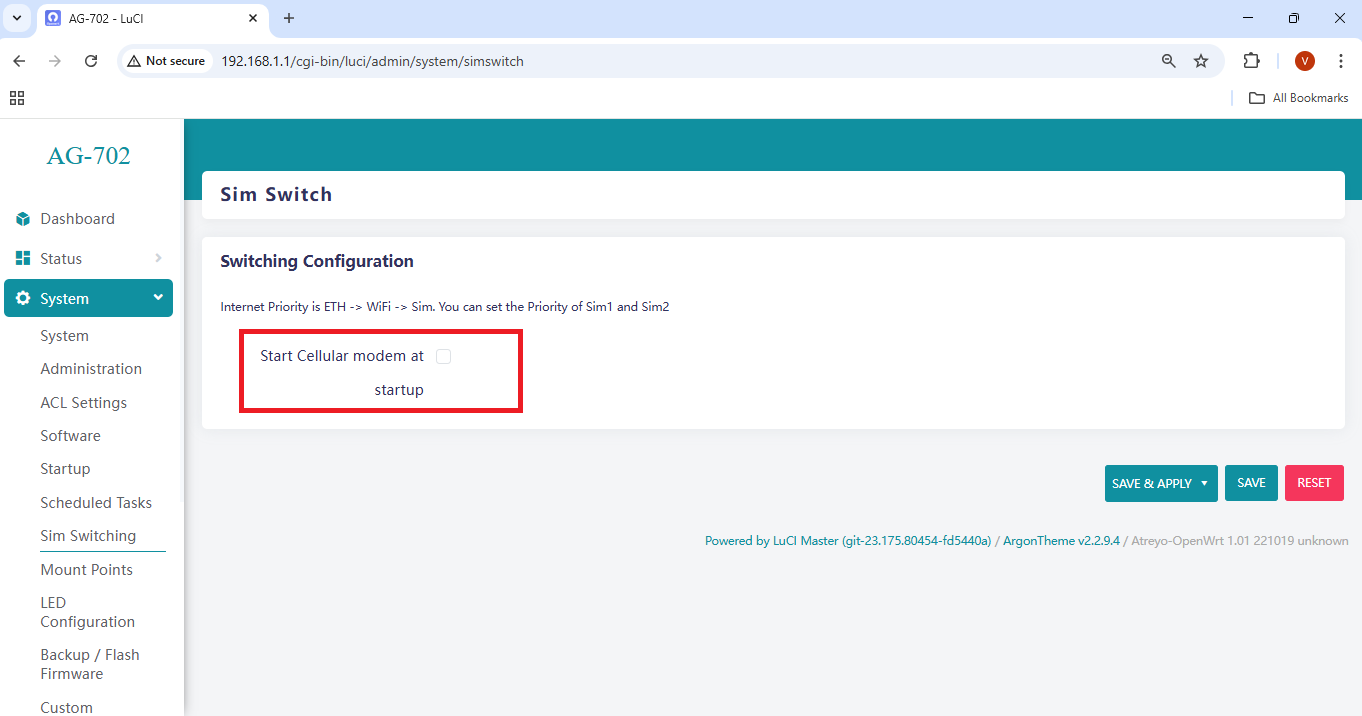
Once enabled, the SIM configuration options will become available.
2. SIM Configuration
There are two ways to configure the SIM card:
1. Single SIM mode
2. Dual SIM mode
2. Dual SIM mode
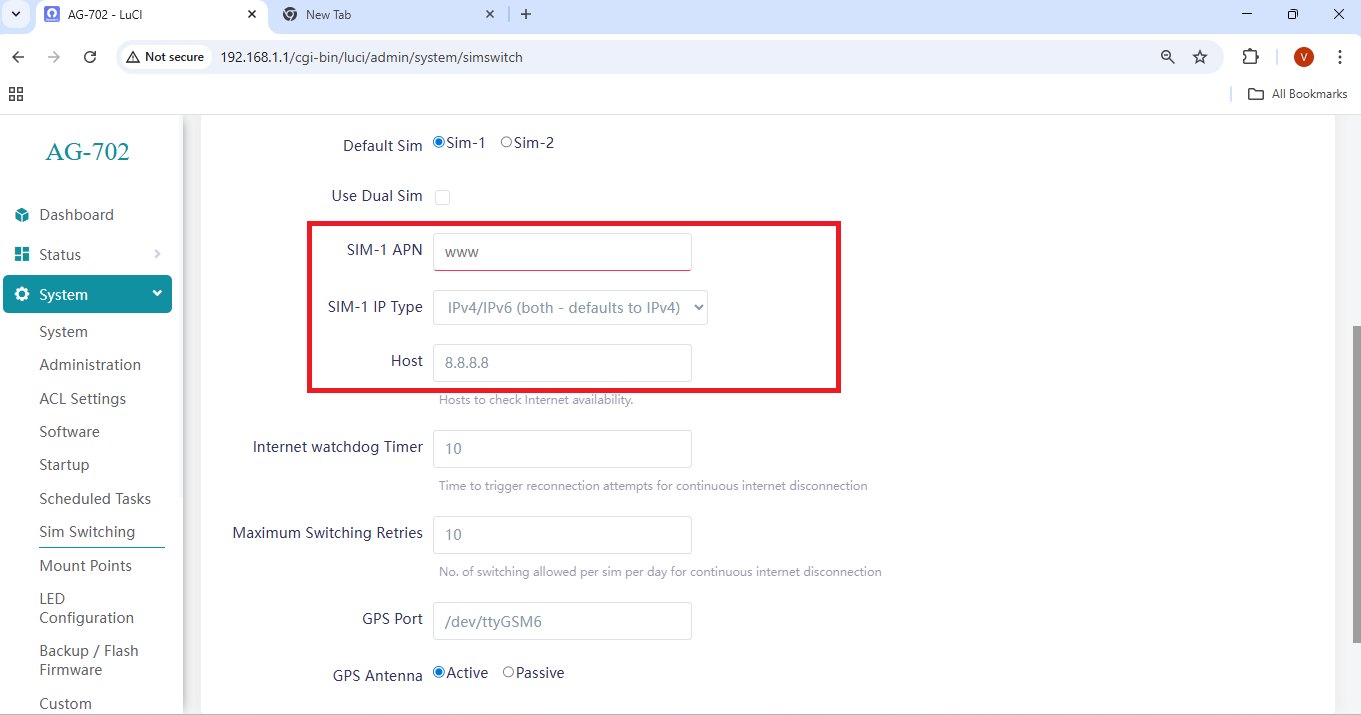
2.1 Single SIM Configuration
- Select SIM1 or SIM2 depending on the slot in which the SIM card is inserted.
- Configure the APN and IP Type as shown below.
2.2 Dual SIM Configuration
Select the SIM card that should be used at device startup.
Enable the option Use Dual SIM.
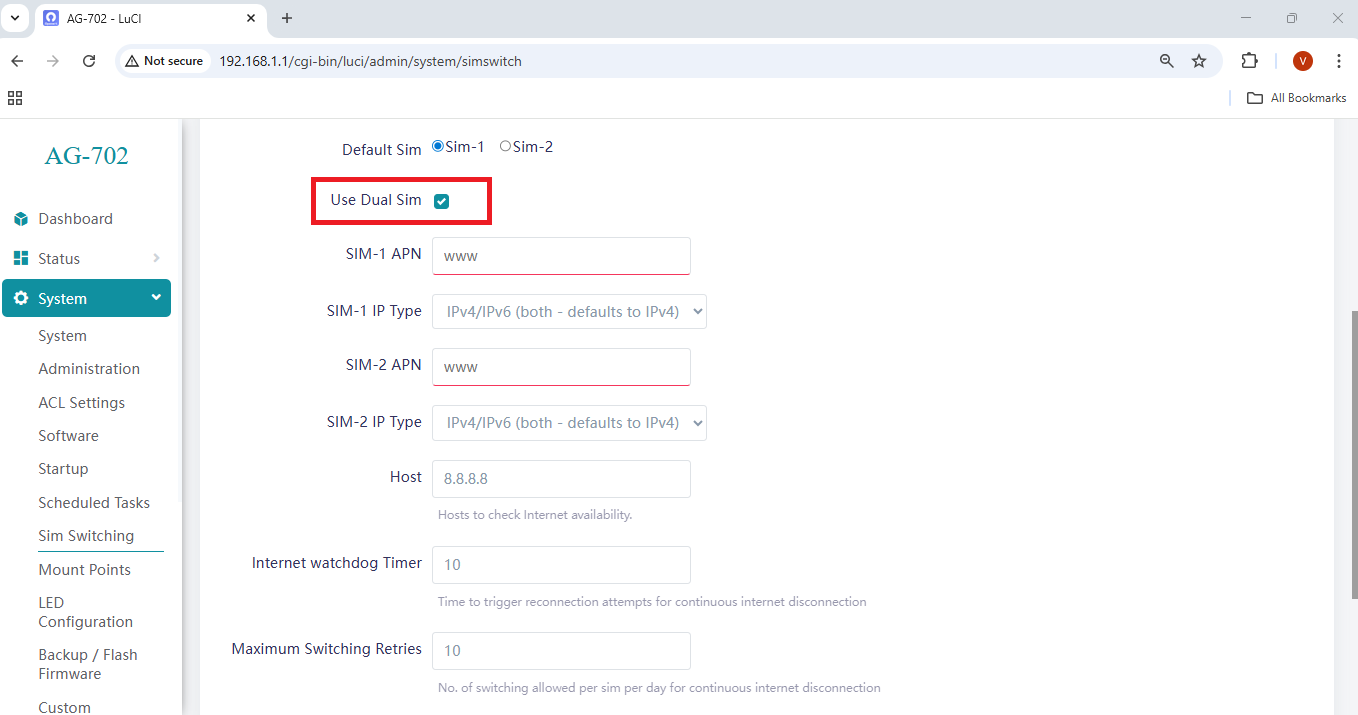
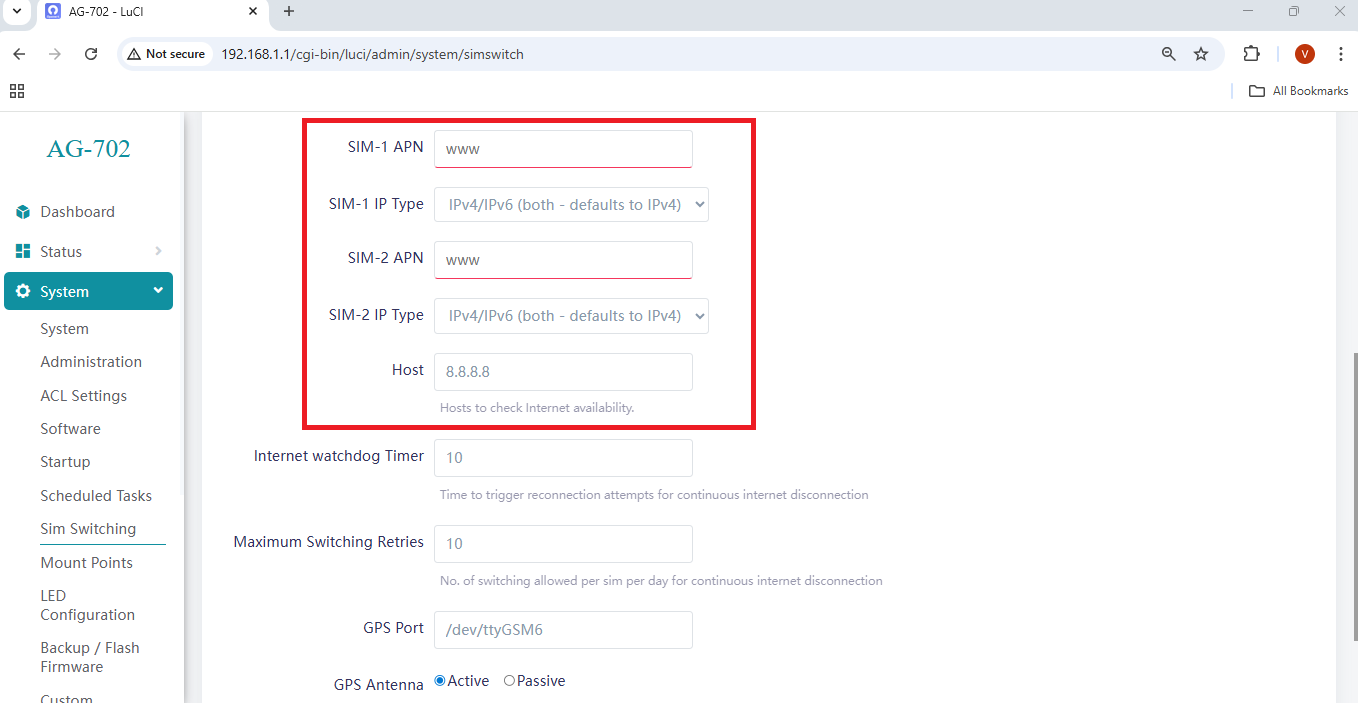
After enabling Dual SIM mode, configure the APN and IP Type for both SIMs.
3. Internet Watchdog Timer
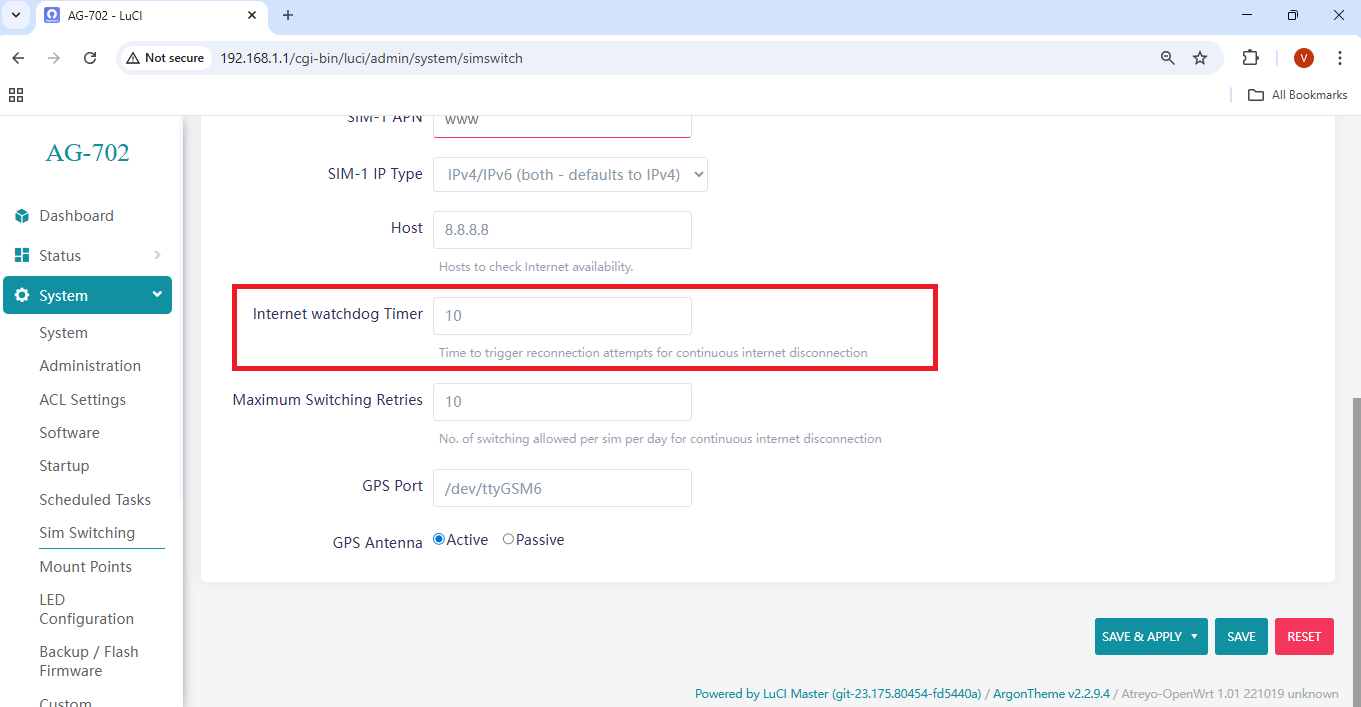
The Internet Watchdog Timer continuously monitors Internet connectivity and automatically performs recovery actions if the connection is lost for a defined duration.
Important: The cellular modem requires approximately 1–2 minutes to initialize. Therefore, configure the watchdog timeout to a minimum of 2 minutes. Do not set a lower value.
4. Maximum Switching Retries
This parameter defines the maximum number of SIM switching attempts allowed per SIM during continuous Internet disconnection scenarios.
After completing all configurations, click Save, and then click Save & Apply to apply the changes.