
Key Features of the Atra VPN App
Auto-Updater

The
Update Available:
Dialog appears: "Update Available"
IfMessage ashows newfor versionavailable is available:version.
Options:
-
ADownloaddialogNow:boxDownloadappearsupdatepromptingimmediatelythe
Skip: downloadSkip thefor latestnow, update.check again next launch
Download Process:

Click "Download Now"
Progress bar shows download status
When complete: "Restart to Update" button appears
Click "Restart to Update"
App closes and reopens with new version
Already Up to Date:
[INSERT SCREENSHOT: Up_To_Date.png]
If you have the latest version:
-
AfterMessagetheappears:update is downloaded successfully, the app will show a“Restart”option.
Once restarted, the changes will be applied, and the app will run on the updated version.
"You have the latest version.version"
No action needed
Dialog closes automatically
💡 Best Practice: Always keep app updated for latest features, security patches, and bug fixes.
Theme-toggleTheme Toggle

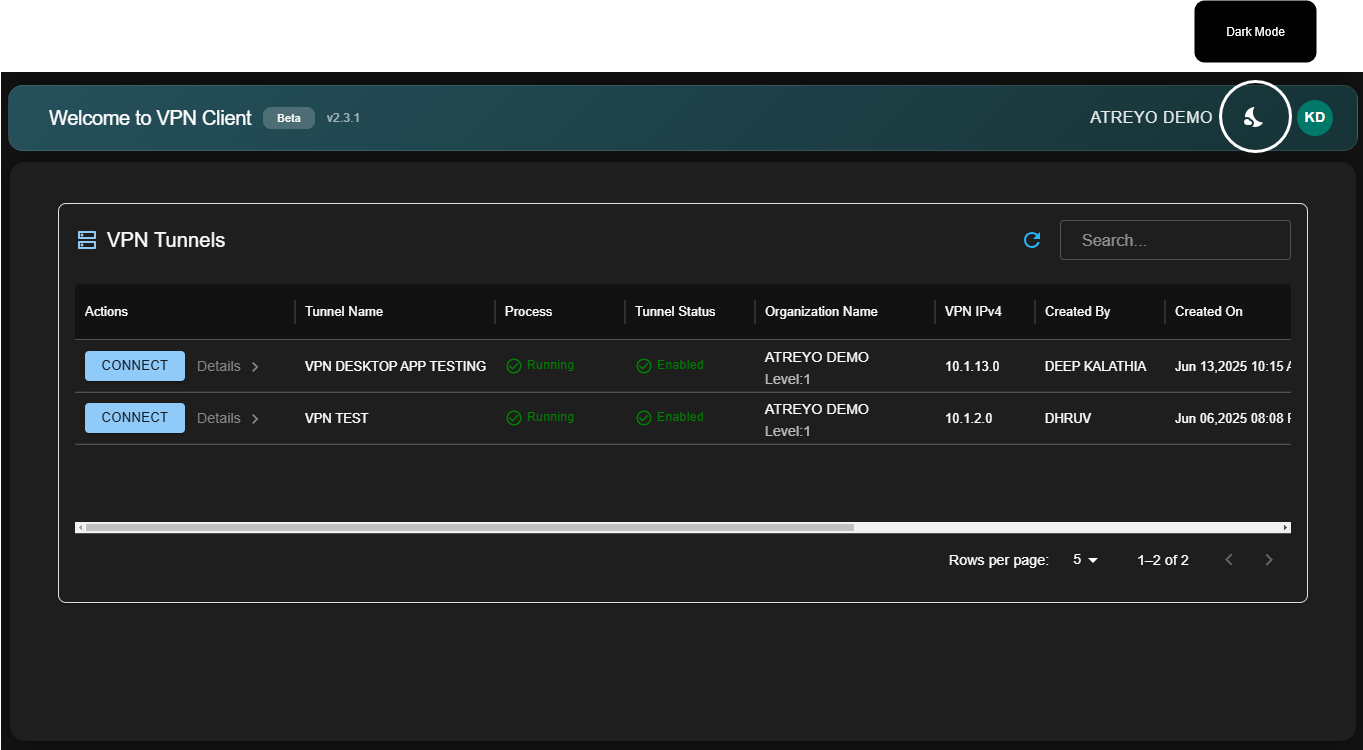
Locate theme toggle (top-right area)
Click toggle switch
Interface switches immediately:
Light Mode: White background, dark text
Dark Mode: Dark background, light text
Persistence:
-
TheYourapplicationchoiceprovidesisasavedTheme Toggle button to switch betweenLight ModeandDark Mode.automatically -
OnceNextatime you launch app, your preferred themeis selected, the app remembers the user’s last preference.applies -
OnNotheneednexttolaunch,reselecttheeachapplication automatically applies thepreviously selected theme(Light or Dark).time
Benefits:
Light Mode: Easier reading in bright rooms, office environments
Dark Mode: Reduces eye strain in low light, saves battery (OLED screens)