
Key Features of the Atra VPN App
Auto-Updater
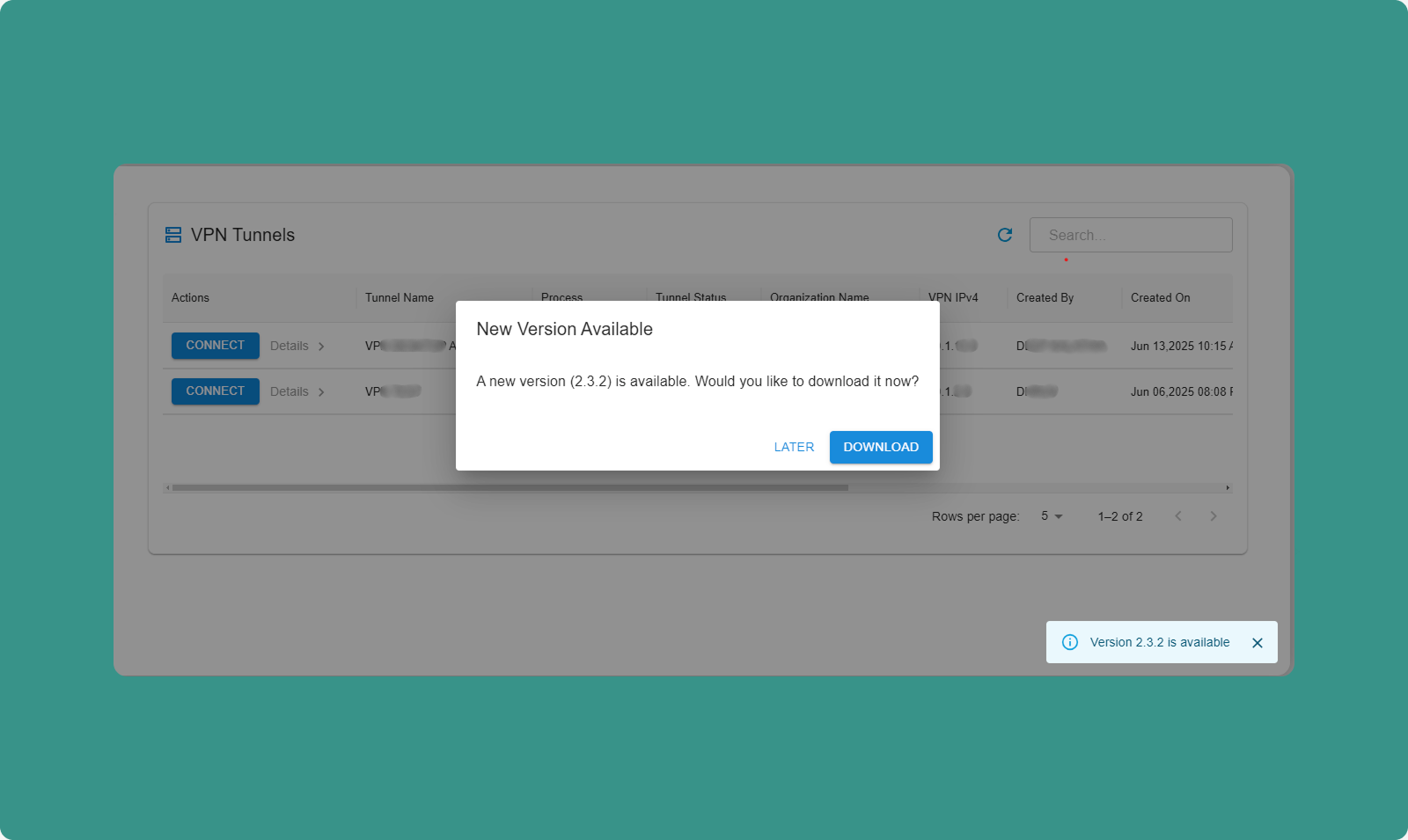
The app automatically checks for updates on launch.
Update Available:
-
Dialog appears: "Update Available"
-
Message shows for available version.
-
Options:
-
Download Now: Download update immediately
-
Skip: Skip for now, check again next launch
Download Process:
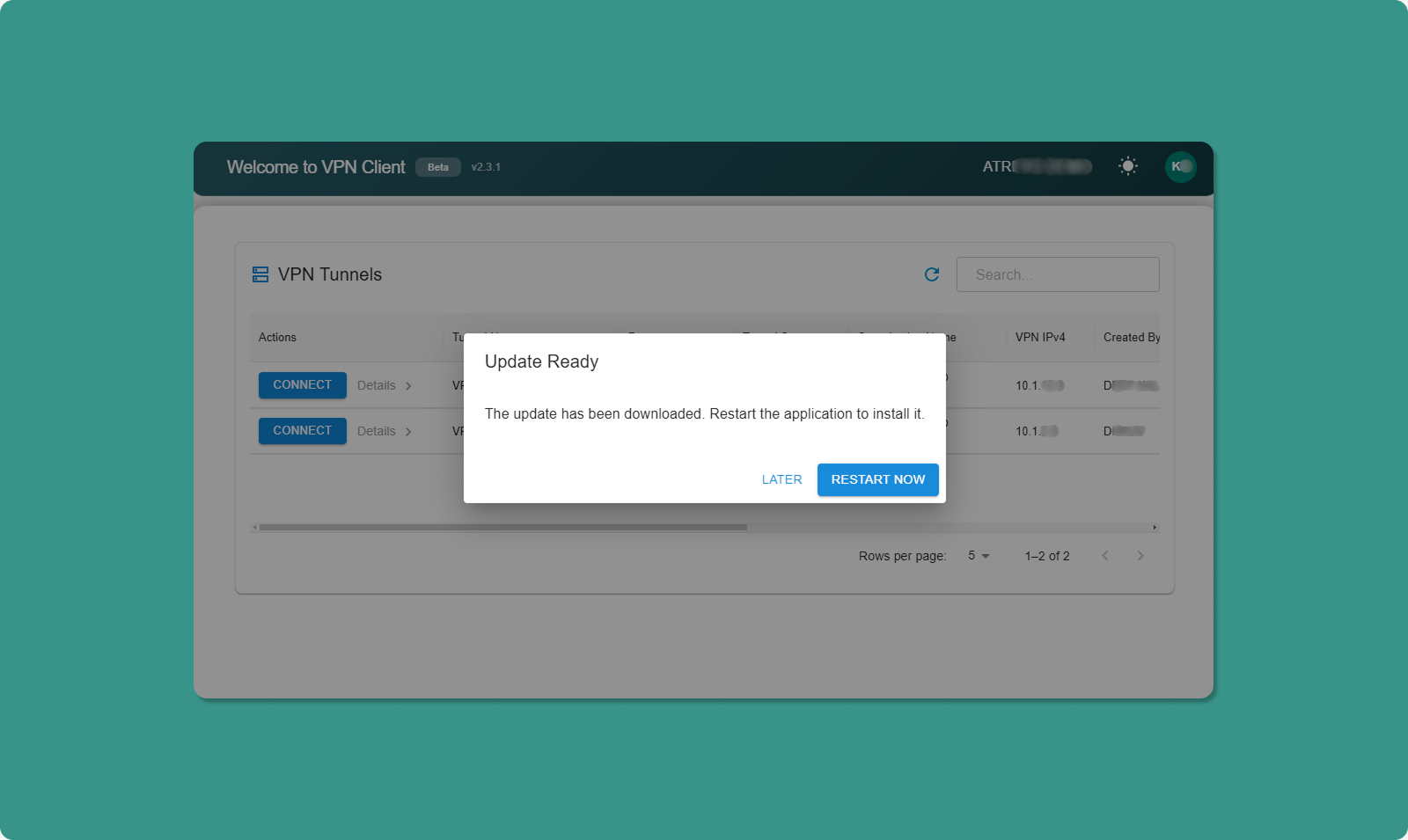
-
Click "Download Now"
-
Progress bar shows download status
-
When complete: "Restart to Update" button appears
-
Click "Restart to Update"
-
App closes and reopens with new version
Already Up to Date:
If you have the latest version:
-
Message appears: "You have the latest version"
-
No action needed
-
Dialog closes automatically
💡 Best Practice: Always keep app updated for latest features, security patches, and bug fixes.
Theme Toggle
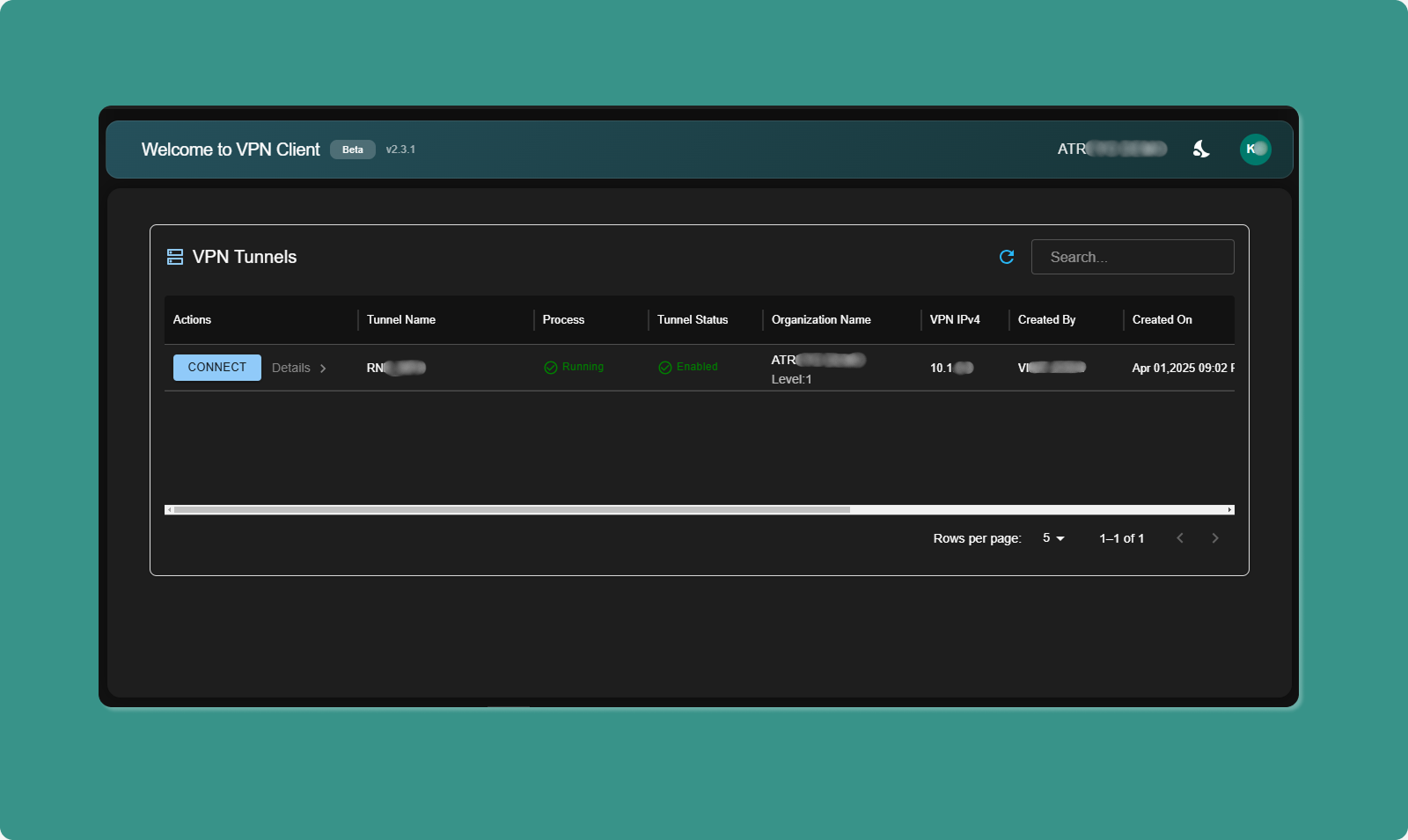
Switching Themes:
-
Locate theme toggle (top-right area)
-
Click toggle switch
-
Interface switches immediately:
-
Light Mode: White background, dark text
-
Dark Mode: Dark background, light text
Persistence:
-
Your choice is saved automatically
-
Next time you launch app, your preferred theme applies
-
No need to reselect each time
Benefits:
-
Light Mode: Easier reading in bright rooms, office environments
-
Dark Mode: Reduces eye strain in low light, saves battery (OLED screens)