
View and Manage Child-Organizations
The Organizations tab is located in the left sidebar. It can be used to view and create new child organizations from your Atra-RMS account.
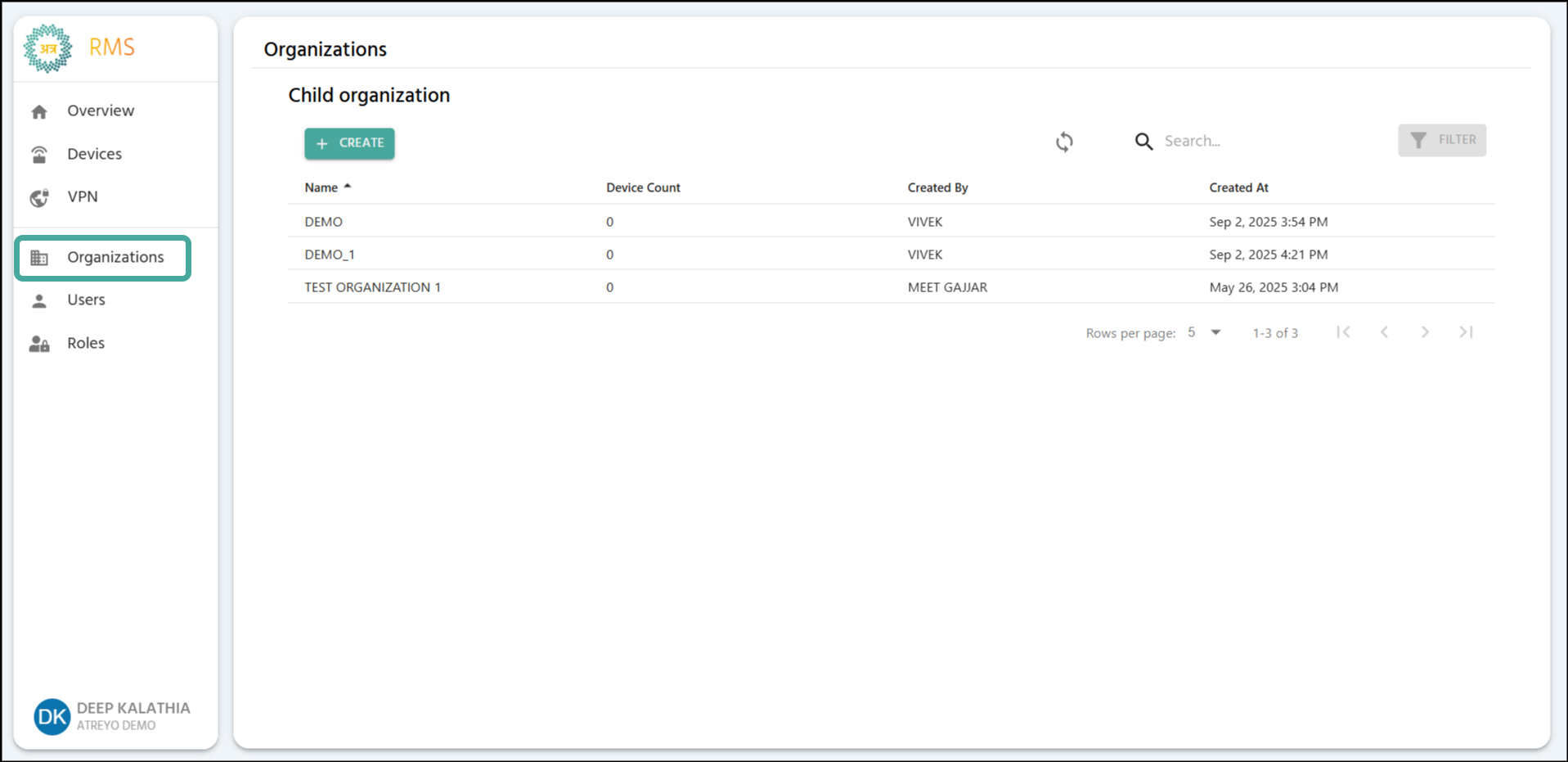
🛠️ Main Organizations Interface Actions

The main Organizations interface providesdisplays severalall actionschild toorganizations manageunder your Child Organizations:management.

Interface Actions

📜 Child Organizations List (Table View)

The list displays essential information about all your managed Child Organizations.
DescriptionLocation
Purpose
Name+CREATE Button
TheTop-left name(Teal)
Add new child organization
DeviceRefresh CountButton
TheTop-right
Manually devicesupdate currentlyorganization registered to that organization.list
CreatedSearch ByBar
TheCenter
Filter personby whoorganization createdname theor child organization.creator
Created AtFilter
TheTop-right
Currently timenot the organization was created.available
🧭
Table NavigationColumns

Column |
Description |
Example
Name
Child numberorganization ofidentifier
AMC, onMMC, theetc.
Device Count
Total totaldevices numberregistered ofto childthat organizations.organization
25
Created By
Username who created the organization
Demo User
Created At
Date and time of creation
Dec 15, 2025, 10:30 AM

Table Navigation

Control
Purpose
Options
Rows per page
Adjust visible organizations
5, 10, 15, 20,25
Total Count
Display total child organizations
"Showing 1-5 of 25"
Page Navigation
Move between pages.pages
Previous, Next, Last, First
