
View Roles
TheView Rolesall tab is locatedroles in theyour left sidebar. It can be used to vieworganization and manage all available roles and their scope within differentchild organizations.

🛠️ Main Roles Interface Actions

The main Roles interface provides several actions to manage your Roles:Actions:
-
+CREATE
ActionDescriptionLocation
Use this to update the list and ensure you're viewing the latest role data.
📜 Roles List (Table View)
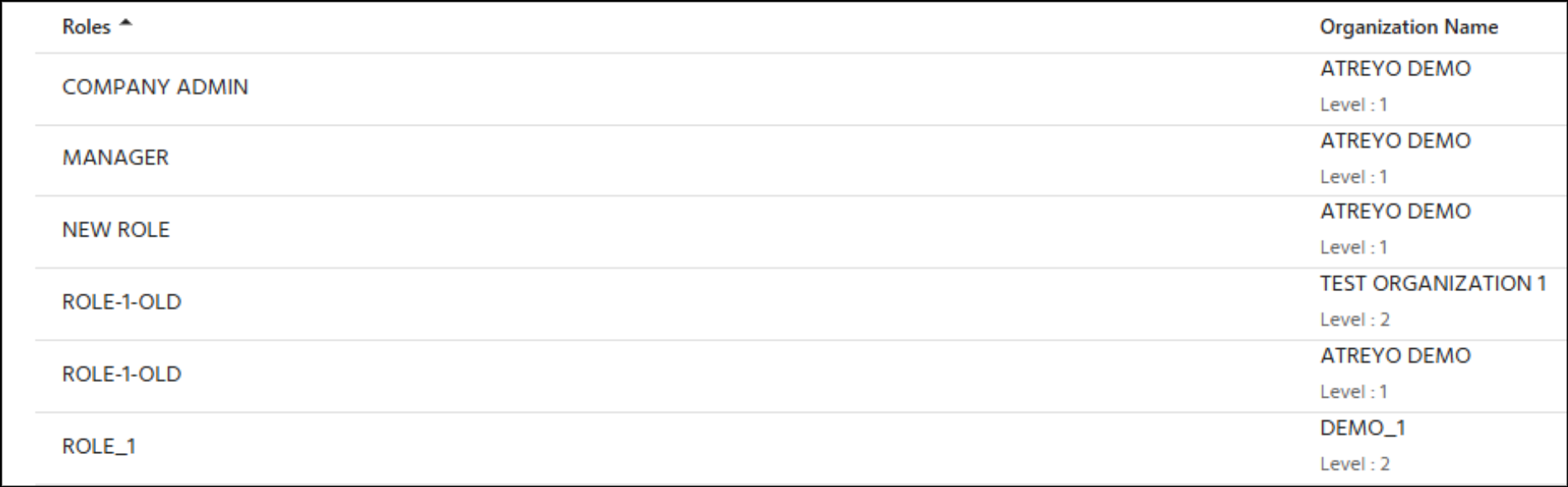
The
list displays essential information about all your managed Roles.
DescriptionRefresh - Update list
Table Columns:
Roles
-The specificRole name of(click theto role.view details)
Organization Name
-The organization theWhere role belongs to, including its level.exists
🧭 Table Navigation
