
View and Monitor Your Devices
The Device List is your central hub for monitoring all registered devices. The table automatically refreshes every 5 seconds to provide real-time status updates.
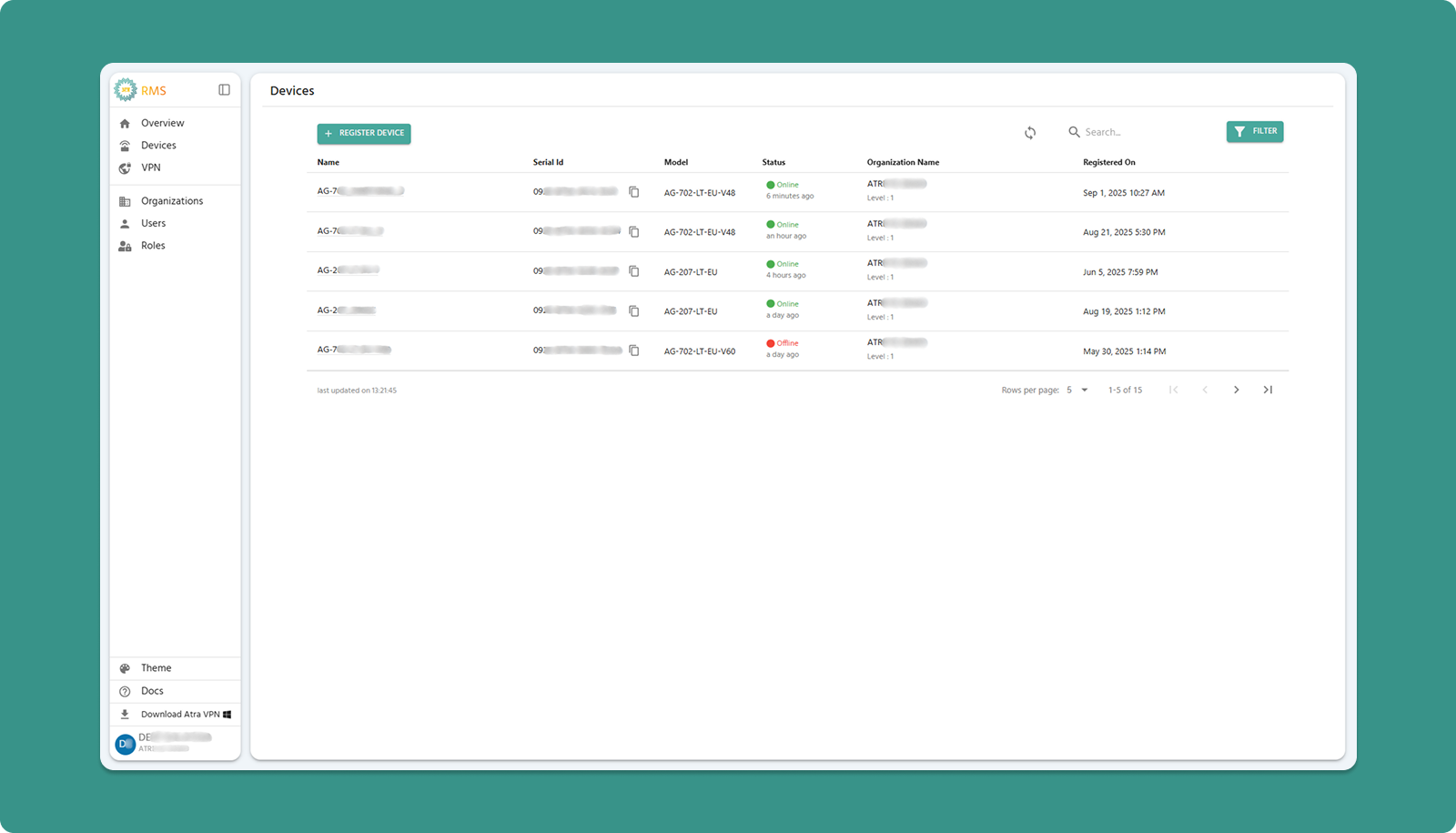
Table Actions (Top Bar)

Column Definitions
|
Column |
Description |
Key Information |
|
Name |
The custom name you assigned during registration. |
Click to open Device Detail Page |
|
Serial-ID |
Unique 16-character device identifier (format: xxxx-xxxx-xxxx-xxxx) |
Used for technical support and verification |
|
Model |
Atreyo hardware model designation |
Identifies device capabilities and specifications |
|
Status |
Current connection state |
Online (green) or Offline (red) with timestamp |
|
Organization |
Assigned organization with level |
Shows hierarchy placement (e.g., "DEMO Level-2") |
|
Registered On |
Date and time device was added to Atra RMS |
Helps track when a device was added |
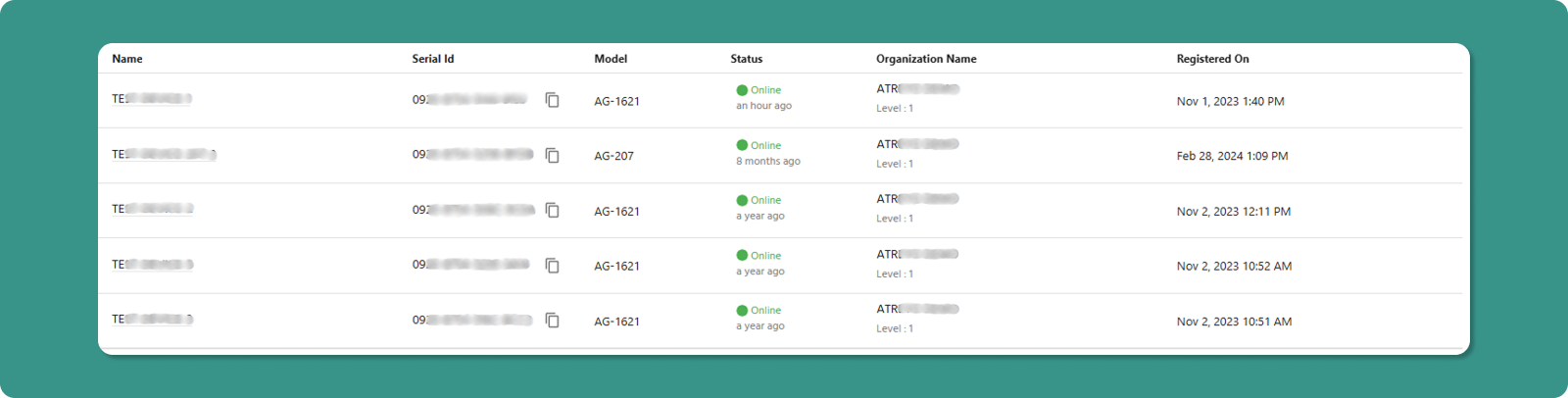
Status Indicators Explained
Online Status:
-
Indicator: Green Online text with green dot
-
Timestamp: "5 minutes ago" (time since last communication)
-
Meaning: Device is connected and transmitting data
Offline Status:
-
Indicator: Red Offline text
-
Timestamp: "2 hours ago" (time since last communication)
-
Meaning: Device is not currently connected
Auto-Refresh Feature
🔄 Automatic Update: The table refreshes every 5 seconds without requiring manual action.
Benefits:
-
Real-time status monitoring
-
No need to repeatedly click refresh
Manual Override:
-
Click the Refresh button (top-right) to force immediate update
-
Useful when expecting immediate status change (e.g., after device power-on)
Navigation Features

Table Controls (Bottom):
|
Control |
Purpose |
Options |
|
Rows per page |
Adjust visible devices |
5, 10, 15, 20,25 |
|
Total Count |
Displays total devices |
"Showing 1-5 of 25" |
|
Page Navigation |
Move between pages |
Previous, Next, Last, First |
Quick Actions
Open Device Details:
-
Locate device in table
-
Click the device Name (underlined text)
-
Device Detail Page opens with full monitoring interface